
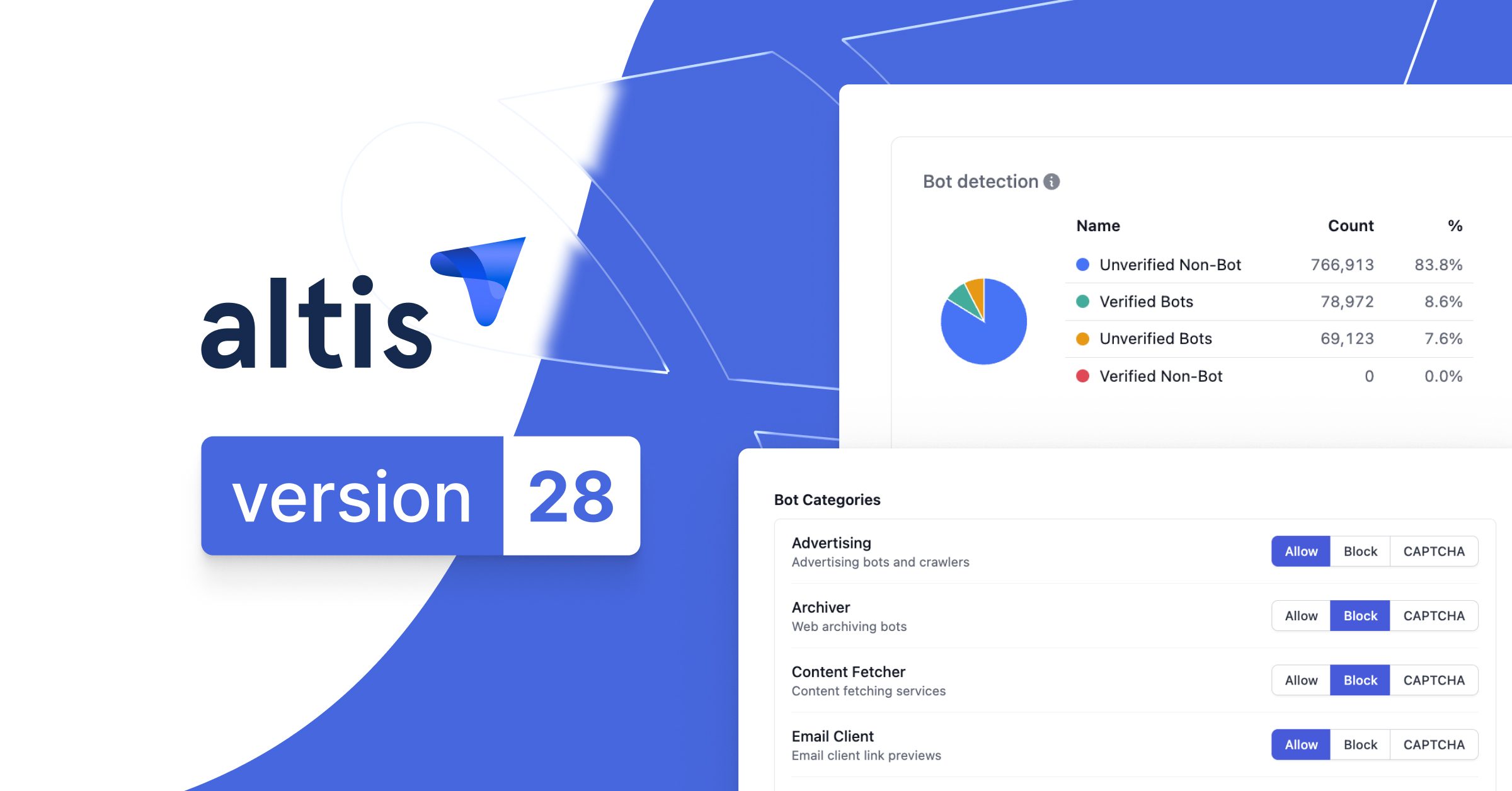

Our Altis v28 release is headlined by Traffic Management, giving every Altis customer self-service control over the bots, crawlers, scrapers, and scripted clients hitting their sites meaning no more maintaining lists of individual user agents.
Altis v28 also adds support for WordPress 7.1, bringing improvements to the editor, admin experience, and accessibility, along with a reworked IP access control UI, a smarter Export dialog, and a new Top User Agents card on the Dashboard.
Here’s what’s new.
Traffic Management: Self-Service Control Over Automated Traffic
Every site today deals with a growing share of automated traffic including AI crawlers, SEO tools, scrapers, and scripted clients alongside genuine human visitors. Managing that traffic has traditionally meant maintaining brittle lists of individual user agents and hoping they stay accurate.
Traffic Management replaces that approach with something far more durable: rules based on traffic categories (like AI crawlers or SEO tools) and signals (like requests originating from known data centers). For each category, you decide whether to allow it, block it, or require it to prove it’s human.
Every Altis customer gets access to these bot categories and signals, along with the Allow, Block, and CAPTCHA actions, as standard.
Advanced Traffic Management (add-on)
For teams that need more, the Advanced Traffic Management add-on builds on this foundation with:
- Targeted Protections: Machine-learning and fingerprint-based rules that catch bots disguising themselves as ordinary browsers.
- The Challenge action: Silent, background browser checks that stop bots without ever showing a visitor a puzzle.
- Richer analytics: New Identified Bots and Bot Organizations tables on the Traffic page, naming the specific bots hitting your site and the companies behind them.
If you’re not sure whether the add-on is right for your site, contact your account manager or Altis support to talk it through.

WordPress 7.1: A Better Editor and Admin Experience
Altis v28 adds support for WordPress 7.1, which brings meaningful improvements to the editor, the admin experience, and accessibility:
- Responsive block styles: Global Styles now supports responsive style variations with configurable viewports, so you can control how a block looks across screen sizes directly from Global Styles or individual block settings, without writing custom CSS.
- Admin bar, now in every editor: The admin bar stays with you as you move across editor screens, so you always know where you are and have easy access to familiar tools.
- Improved client-side media handling: Supported image operations like compression and resizing can now happen in the browser before upload, producing smaller files without hitting PHP memory limits or upload timeouts.
- A growing Abilities API: Building on the AI foundations introduced in WordPress 7.0,
wp_get_abilities()gains filtering, abilities gain execution lifecycle hooks and a unified flag for public exposure, and their schemas can now be prepared for use by clients. - Accessibility improvements: Admin screens gain clearer table structures and hierarchical relationships, and core interfaces get a standard accessible tooltip mechanism.
For more detail, see the WordPress 7.1 Field Guide.
More Visibility and Control in the Altis Dashboard
Alongside Traffic Management, this release brings a set of Dashboard improvements aimed at giving teams clearer, faster control over their environments:
- Reworked IP access control UI: It’s now clearer which list an address belongs to, easier to manage allow and block entries, and you can export and download your IP lists as text files.
- Smarter Export dialog: Search and autocomplete for database table names and paths make setting up a partial export quicker and less error-prone.
- Top User Agents card: A new card on the Traffic page shows which user agents account for the most requests, so you can quickly spot unwanted clients and decide whether to block them.
Altis Local Server Improvements
Local Server has also been updated in this release:
- MySQL now defaults to 8.4, and is the only supported version. MySQL 8.0 support has been removed.
- Docker images have been updated, including a newer nginx container. Run
composer server restartafter upgrading to pick up the changes.
Breaking change: MySQL 8.0 support removed
If your project pins the Local Server mysql option, remove it from your composer.json otherwise Local Server will fail to start on MySQL 8.4.
A Platform Change Worth Knowing About: Media Library Infinite Scrolling
WordPress 7.1 enables infinite scrolling in the Media Library grid by default. We’ve switched it back off in Altis.
Infinite scrolling makes for a poor experience for accessibility, keyboard, and screen reader users, who lose a stable end of the list to navigate to. Additionally, on the large media libraries typical of Altis sites, the grid simply grows without bound as content loads beneath you. With the Altis override in place, the grid shows a “Load More” button instead.
WordPress 7.1 also adds a per-user “Infinite Scrolling” checkbox under Users > Profile. Since the Altis override takes precedence over it, Altis hides that checkbox rather than showing a control that doesn’t do anything. That being said, any preference a user has already saved is left untouched.
If you’d rather follow WordPress core’s default behavior, you can remove the Altis override in your composer.json:
{
    "extra": {
        "altis": {
            "modules": {
                "media": {
                    "disable-media-library-infinite-scroll": false
                }
            }
        }
    }
}
This removes the override rather than forcing infinite scrolling on. You’ll get whatever WordPress does by default, including the per-user profile setting becoming visible again.
Platform Improvements Behind the Scenes
Alongside these headline features, Altis v28 includes a wide range of updates to modules and libraries across the platform, bringing in important bug fixes and improvements.
Built for Teams That Need Control Over Their Traffic
Altis v28 puts control over automated traffic directly in your hands. Traffic Management gives every customer self-service tools to allow, block, or challenge bots and crawlers by category, and Advanced Traffic Management extends that with machine-learning protections and richer analytics. WordPress 7.1 support, a reworked Dashboard, and ongoing platform improvements round out a release focused on giving teams more visibility and more control.